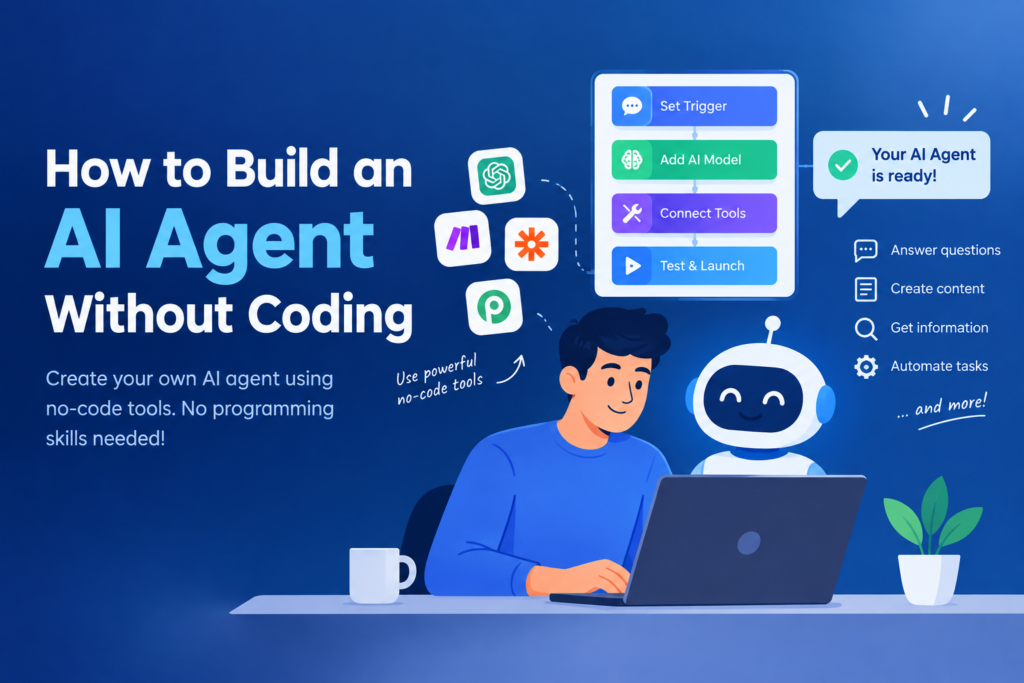
 Artificial intelligence is becoming easier to use every day. You no longer need to be a programmer or AI expert to build useful AI systems. With no-code AI agent platforms, anyone can create an AI agent that can understand instructions, make decisions, use tools, and complete tasks.
In this guide, we will explain how to build an AI agent without coding, what you need, and some simple examples you can try.
What Is an AI Agent?
An AI agent is a system that can understand a goal, decide what steps are needed, use available tools, and complete a task with limited human involvement.
A normal chatbot might answer:
“Here is the information you requested.”
An AI agent can go further. For example, you could give it a goal such as:
“Find new customer inquiries, organize them, and prepare a response.”
The agent can potentially collect information, analyze it, decide what to do next, and perform actions through connected tools.
This makes AI agents useful for business, marketing, research, customer support, productivity, and many other tasks.
Can You Build an AI Agent Without Coding?
Yes. Many modern AI platforms provide visual interfaces, templates, workflows, and drag-and-drop tools that allow users to create AI agents without writing traditional programming code.
Instead of writing code, you usually configure:
- The agent’s instructions
- Its goal
- The information it can access
- The tools it can use
- The actions it is allowed to perform
- The conditions it should follow
This makes building a basic AI agent accessible even to beginners.
Step 1: Decide What Your AI Agent Should Do
Before opening an AI platform, decide exactly what you want your agent to accomplish.
Avoid starting with a very complicated idea.
For example, you could create an agent that:
- Answers common customer questions
- Summarizes documents
- Researches a topic
- Organizes information
- Creates social media ideas
- Helps manage leads
- Generates email drafts
- Monitors specific information
- Creates reports
A clear goal makes the rest of the process much easier.
For example:
Goal: “Create an AI agent that helps answer customer questions about my products.”
This is much easier to build than simply saying:
“Create an AI agent for my business.”
Step 2: Choose a No-Code AI Agent Platform
The next step is choosing a platform that allows you to create agents without traditional programming.
Look for features such as:
- Visual workflow builders
- AI model integration
- Tool and app connections
- Knowledge-base support
- Templates
- Testing features
- Automation capabilities
Different platforms offer different levels of control, so choose one based on what your agent needs to accomplish.
If you’re a beginner, starting with a simple template can be easier than building everything from scratch.
Step 3: Give Your Agent Clear Instructions
Instructions are one of the most important parts of an AI agent.
Tell the agent:
Who it is, what it should do, what information it should use, and what rules it must follow.
For example:
“You are a customer support assistant. Answer questions about our products using the provided information. Keep responses short and helpful. If you do not know the answer, do not make up information. Ask the customer to contact our support team.”
Clear instructions can help the agent behave more consistently.
Step 4: Give Your Agent Knowledge
An AI agent needs information to perform its job effectively.
Depending on the platform, you may be able to connect documents, websites, databases, spreadsheets, or knowledge bases.
For example, a customer-support agent could use:
- Product information
- FAQs
- Return policies
- Shipping information
- Customer-service guidelines
Instead of expecting the agent to know everything, give it access to the information it actually needs.
This can also reduce the chance of the agent providing incorrect information.
Step 5: Connect Useful Tools
The biggest difference between a simple chatbot and an AI agent is often its ability to use tools and take actions.
Depending on the platform, you may be able to connect tools such as:
- Google Sheets
- Calendars
- CRM systems
- Databases
- Web search
- Forms
- Project-management applications
For example, a lead-management agent could receive a new lead, analyze the information, categorize the lead, add it to a spreadsheet or CRM, and prepare a follow-up email.
The exact capabilities depend on the platform and the permissions you give it.
Step 6: Create a Simple Workflow
Many no-code platforms allow you to visually create workflows.
A basic workflow might look like:
New inquiry → Read information → Understand request → Find relevant information → Create response → Send or save response
You can add rules to the workflow.
For example:
If the customer asks about pricing → provide pricing information.
If the question is unclear → ask for more information.
If the agent cannot find the answer → send the inquiry to a human.
These rules help keep the agent focused on its job.
Step 7: Test Your AI Agent
Never assume that your agent will work perfectly after you build it.
Test it with different types of questions and situations.
Try:
- Normal questions
- Unclear questions
- Incorrect information
- Questions outside its purpose
- Unexpected requests
- Difficult examples
Check whether the agent follows your instructions and knows when it should stop or ask for human help.
Testing is especially important if your agent can send emails, modify records, make purchases, or perform other actions.
Step 8: Improve Your Agent
Your first version doesn’t need to be perfect.
After testing, look for problems.
Maybe the agent gives answers that are too long. Perhaps it misunderstands certain questions. Maybe it uses the wrong information.
Improve its instructions, knowledge, workflow, or connected tools.
Building an AI agent is often an iterative process. You build a basic version, test it, identify problems, and improve it.
Simple AI Agent Ideas for Beginners
If you’re trying this for the first time, consider starting with a small project.
1. AI Research Assistant
Give the agent a topic and have it organize research into a simple report.
2. Customer Support Agent
Create an agent that answers frequently asked questions using your company’s information.
3. Content Assistant
Build an agent that generates blog ideas, outlines, or social media content based on your instructions.
4. Lead Management Agent
Create an agent that organizes incoming leads and prepares follow-up messages.
5. Personal Productivity Agent
Build an agent that helps organize tasks, summarize information, or prepare daily plans.
Things to Remember
No-code does not mean no planning.
A good AI agent still needs clear instructions, reliable information, appropriate tools, and proper testing.
You should also be careful when giving an agent access to sensitive information or important systems. Start with limited permissions and review what the agent does before allowing it to perform important actions automatically.
Final Thoughts
Building an AI agent without coding is now possible for beginners because no-code platforms can handle much of the technical work.
The best way to start is simple: choose one specific problem, give the agent clear instructions, provide the right information, connect only the tools it needs, and test it carefully.
You don’t need to build a complicated AI system on your first attempt. Start with a small workflow, learn how the agent behaves, and gradually add more capabilities.
As AI agent technology continues to develop, knowing how to design and use these systems can become a useful skill for students, professionals, freelancers, marketers, and business owners.